
How to make a traffic control plan?
Creating a traffic control plan (TCP) is one of the most important steps in preparing a safe, clear, and workable road project. Whether you are planning a lane closure, construction zone, detour, utility job, or event setup, a well-prepared TCP helps show how traffic, pedestrians, workers, vehicles, signs, and devices will move around the work area.
But creating a TCP is not just about placing signs on a map. It means understanding the site, identifying risks, choosing the right traffic control devices, setting out a clear layout, and preparing a plan that can be reviewed, approved, and used confidently in the field. For many traffic planners and contractors, the challenge is doing all of this quickly while still producing a professional plan that is easy to understand.
In this page, we’ll walk through the key steps involved in creating a TCP, from reviewing the worksite and selecting the right base map to adding signs, cones, work zones, detours, and plan details. We’ll also look at how traffic control planning software can help reduce manual drafting time, improve presentation, and make the review process easier.
Step 1: Define the project scope
The first step in creating a traffic control plan is understanding the project and its impact on road users.
Identify the type of work being performed, where it will occur, how long it will last, and how traffic operations may be affected. This information forms the foundation of your temporary traffic control plan.
At this stage, consider:
-
The type of work activities being performed
-
Project duration and work hours
-
Lane closures, shoulder closures, or road closures
-
Pedestrian routes and cyclist access
-
Existing traffic conditions and peak traffic periods
-
Emergency vehicle access requirements
-
Nearby businesses, schools, driveways, and transit stops
-
Permit conditions and special provisions from the road authority
Some projects may only require a simple lane closure layout, while others may involve multiple construction phases, complex detours, or temporary traffic control zones.

Step 2: Assess the site and check the applicable standard
Before you start drawing the plan, review the site carefully and confirm which standards apply in that location. A good site assessment helps you understand the real conditions on the ground and identify any risks or constraints early.
Look at things such as:
-
traffic volume and traffic patterns
-
road layout and geometry
-
sight distance and visibility
-
speed environment
-
pedestrian and cyclist access
-
transit stops
-
nearby schools, businesses, or driveways
-
existing signs, markings, or road restrictions
In the United States, temporary traffic control is guided by the MUTCD, including Part 6 for temporary traffic control. In Canada, the main reference is the Manual of Uniform Traffic Control Devices for Canada (MUTCDC). Depending on the project, you may also need to follow state, provincial, municipal, or agency-specific requirements.
A template can be a helpful starting point, but it should not be the only thing you rely on. Always check the latest local standards, standard drawings, and permit conditions before finalizing the plan.
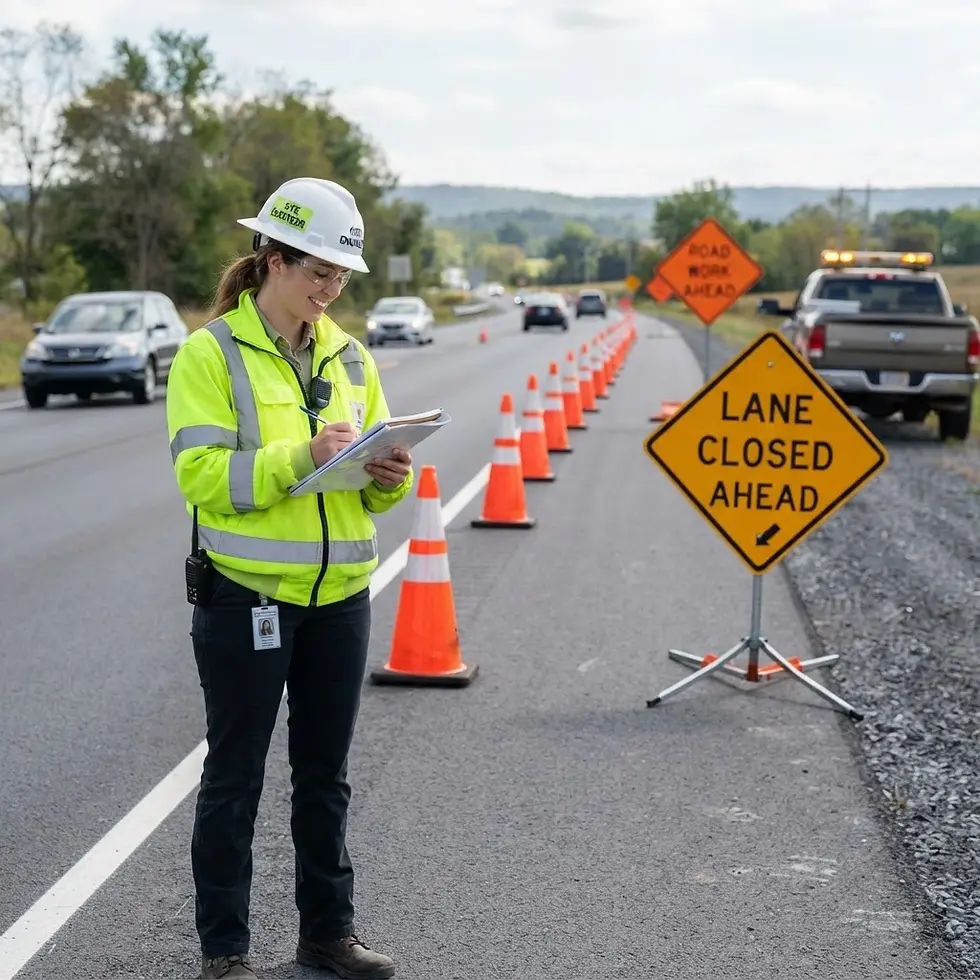

Step 3: Create the Plan Using Traffic Control Plan Software
Once you've gathered site information and identified applicable standards, you can begin designing the traffic control plan using traffic control plan software.
Traffic control plan software helps planners create professional traffic management drawings by combining roadway layouts, traffic control devices, signage, pavement markings, and work zone configurations into a clear visual plan.
A typical traffic control plan should show:
-
Work area limits
-
Temporary traffic control zones
-
Lane or shoulder closures
-
Transition areas and taper lengths
-
Buffer spaces and work areas
-
Advance warning signs and devices
-
Temporary signs and message boards
-
Detour routes and road closure arrangements
-
Flagger control locations and temporary traffic signals
-
Pedestrian routes and cyclist accommodations
-
Emergency vehicle access requirements
-
Construction phases or staging arrangements
When developing the drawing, use approved symbols, consistent labels, and clear annotations so field crews, reviewers, and contractors can easily understand the traffic control setup.

Step 4: Review the plan and submit for approval
Before implementation, review the traffic control plan to ensure it complies with applicable standards and accurately reflects site conditions.
Check that the plan includes:
-
Required signage and traffic control devices
-
Correct taper lengths and spacing
-
Road closure and detour information
-
Pedestrian and cyclist accommodations
-
Emergency vehicle access routes
-
Flagger control locations
-
Temporary traffic control measures
-
Special provisions required by the authority having jurisdiction
For larger projects, the review process may involve civil engineers, traffic designers, contractors, municipalities, utility providers, and transportation agencies.
A thorough review helps reduce approval delays, minimize revisions, and improve work zone safety during implementation.
Step 5: Update the plan as conditions change
Traffic control plans should be treated as living documents.
As work progresses, changing traffic conditions, revised construction phases, weather impacts, or unexpected site constraints may require updates to the plan.
Regular reviews help:
-
Maintain compliance with approved traffic control requirements
-
Improve work zone safety
-
Reduce confusion for field crews
-
Support inspections and permit requirements
-
Ensure traffic control measures remain effective throughout the project
The most effective traffic control plans accurately reflect current site conditions rather than relying solely on the original design.

What should a traffic control plan include?
A traffic control plan should include all information required to manage traffic through or around a temporary work zone safely.
Most traffic control plans include:
-
Project location and work limits
-
Roadway configuration and affected lanes
-
Traffic control devices and signage
-
Advanced warning signs and warning devices
-
Pavement markings and channelization devices
-
Cones, barriers, and barricades
-
Transition areas and buffer spaces
-
Detours and road closure arrangements
-
Pedestrian routes and cyclist accommodations
-
Flagger control positions and temporary signals
-
Emergency vehicle access routes
-
Construction phases and staging information
-
Applicable standards, special provisions, and agency requirements
A good traffic control plan should be clear, practical, and detailed enough for reviewers, contractors, and on-site crews to implement safely and consistently.

